
Complete KSD's Back-to-School Registration in PowerSchool
Posted Date: 07/15/26 (06:22 PM)
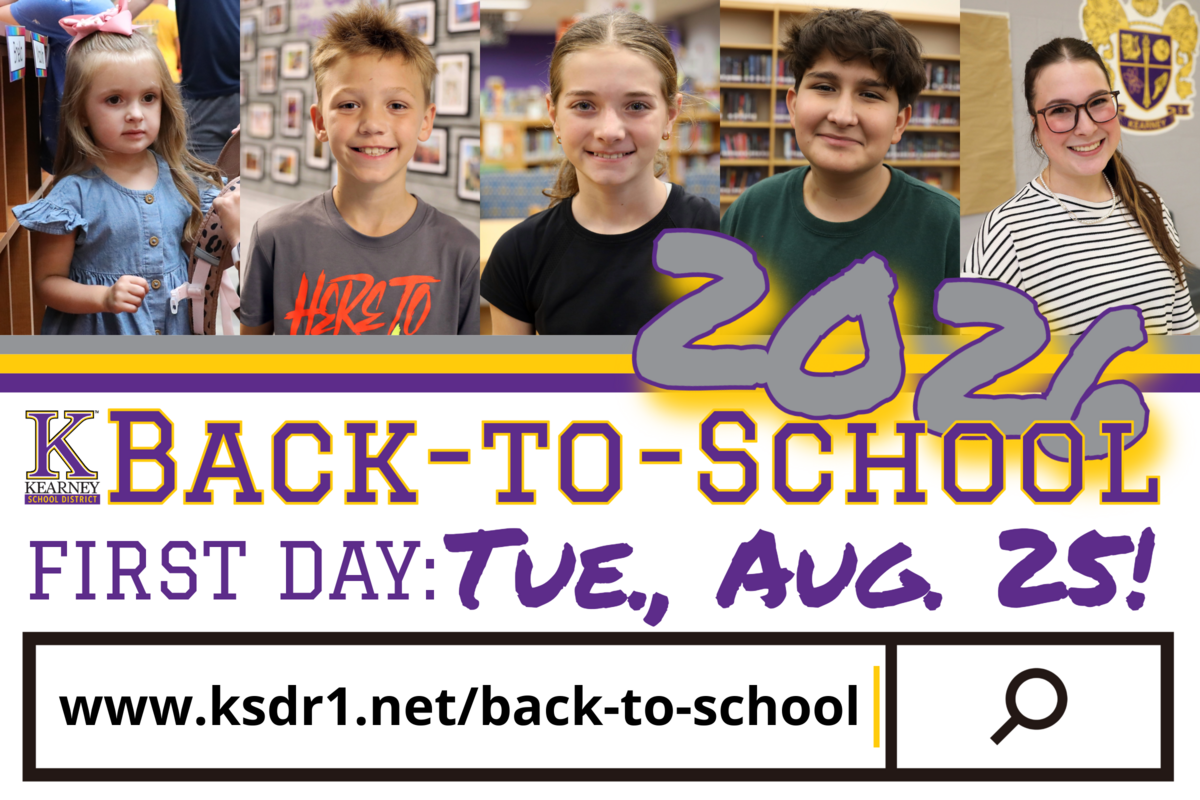 Back-to-School Registration is now available through the KSD's PowerSchool portal. Registration must be completed separately for each student in your household.
NOTE - THIS PROCESS IS ONLY FOR STUDENTS WHO ATTENDED KSD IN THE 2025-2026 ACADEMIC YEAR AND ARE RETURNING.
How to complete registration: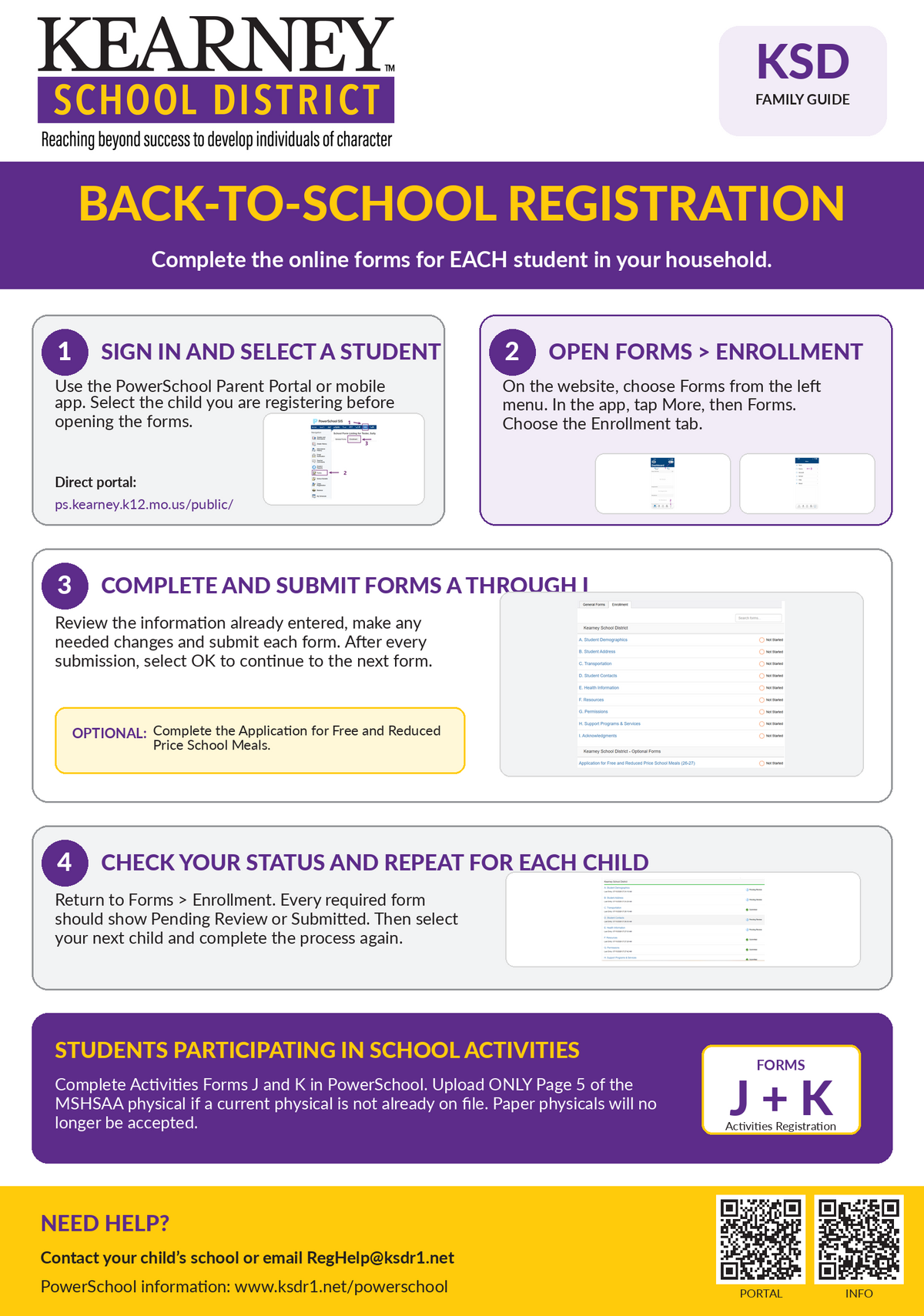
- Sign in to the PowerSchool Parent Portal or open the PowerSchool mobile app.
- Select the student you wish to register.
- Open Forms and select the Enrollment tab.
- Begin with A. Student Demographics and complete each form through I. Acknowledgements.
- Review the information already entered, make any needed changes and submit each form.
- Return to Forms > Enrollment and confirm that each required form is marked Pending Review or Submitted.
- Select your next student and repeat the process.
DOWNLOAD - 2026 Back-to-School Registration Process Guide
NOTE - The One2One Insurance registration only needs to be completed for students who will be entering grades 8-12 for the upcoming academic year. If applicable, you will receive the ID number for your child to register for One2One Insurance in a separate message at a later date when registration becomes available.
Activities Registration
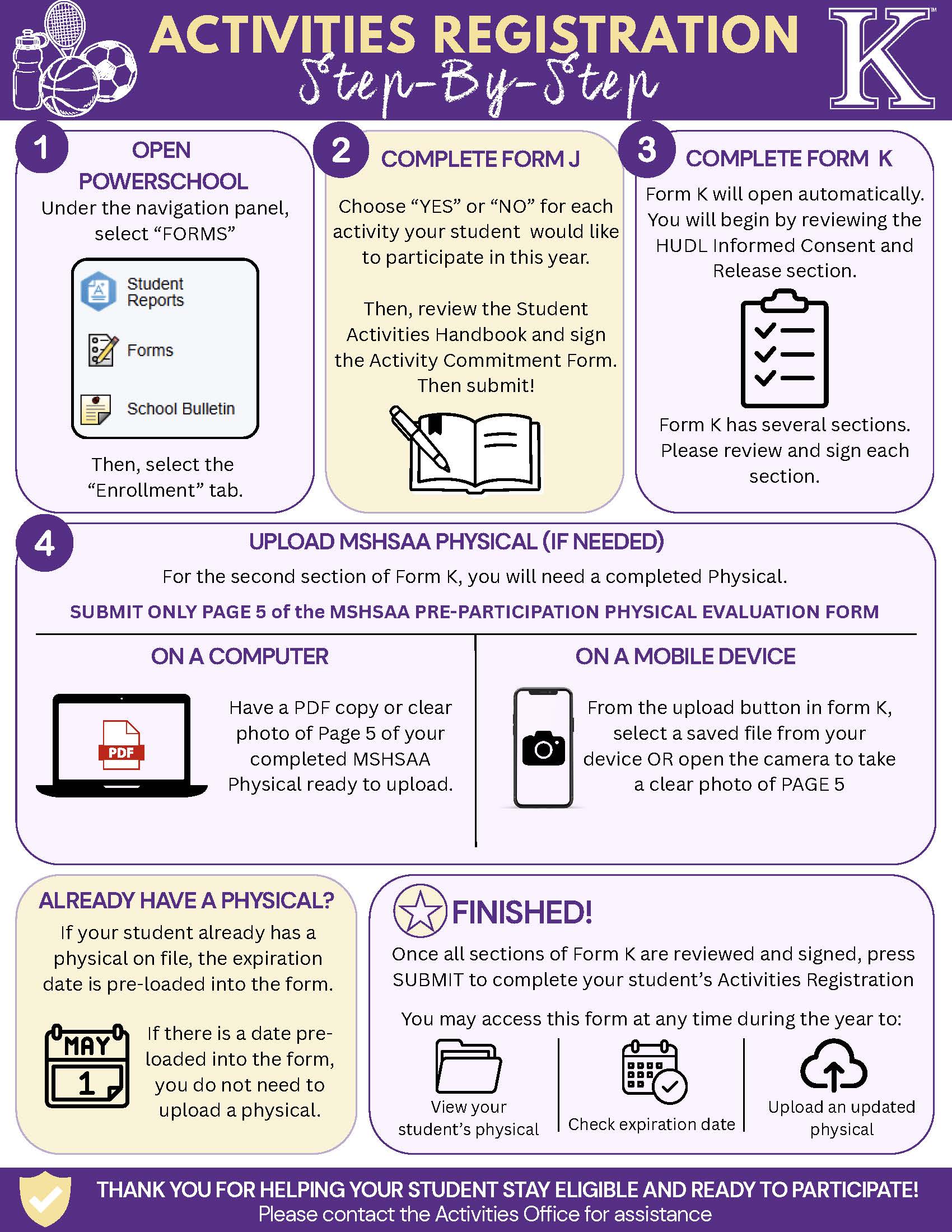
Students who plan to participate in fall sports or other school activities must also complete Activities Forms J and K in PowerSchool. If your student needs an updated MSHSAA physical, upload only Page 5 of the completed MSHSAA Pre-Participation Physical Evaluation Form. If a current physical is already on file, its expiration date will be preloaded, and you do not need to upload another copy.
The KSD Activities Office will no longer accept paper copies of MSHSAA physicals. Moving the process to PowerSchool also allows families to view physical expiration dates and upload updated documents throughout the year.
PowerSchool access and assistance:If you cannot access your PowerSchool account, please contact your child’s school or email RegHelp@ksdr1.net. Thank you for taking the time to review and update this important information for each of your students.